Features

Everything Webex knows about your calls, put to work

Reporting for managers, a callback list for the team, AI summaries for everyone allowed to read them, and a CRM that keeps itself up to date.

Call reporting that is fair to your team

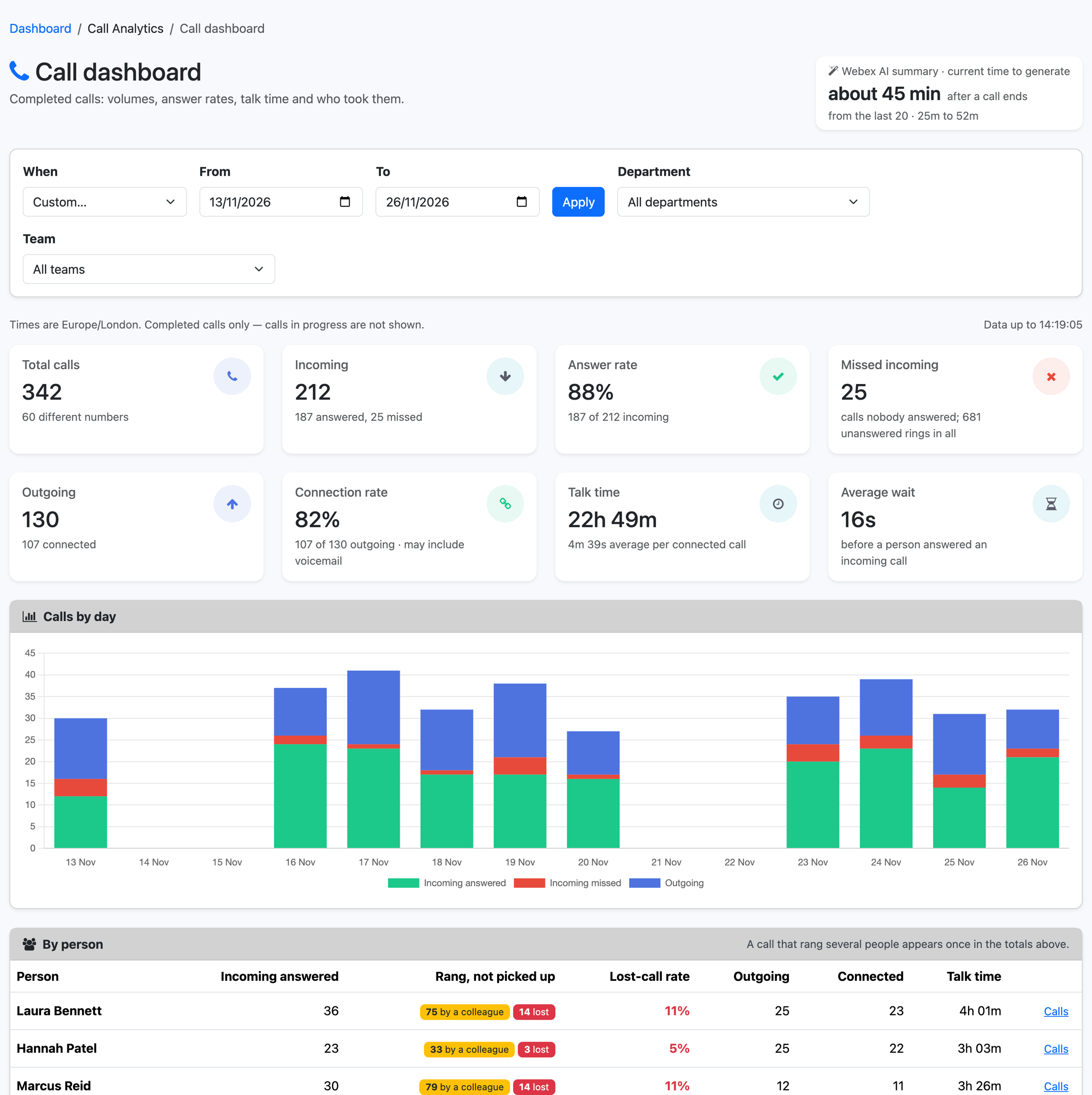
See every call the business made and took — by day, by department, team, person and call queue — over any period you choose.
  • Lost-call rate, not a pick-up rate: a call a colleague answered is never held against the people it also rang.
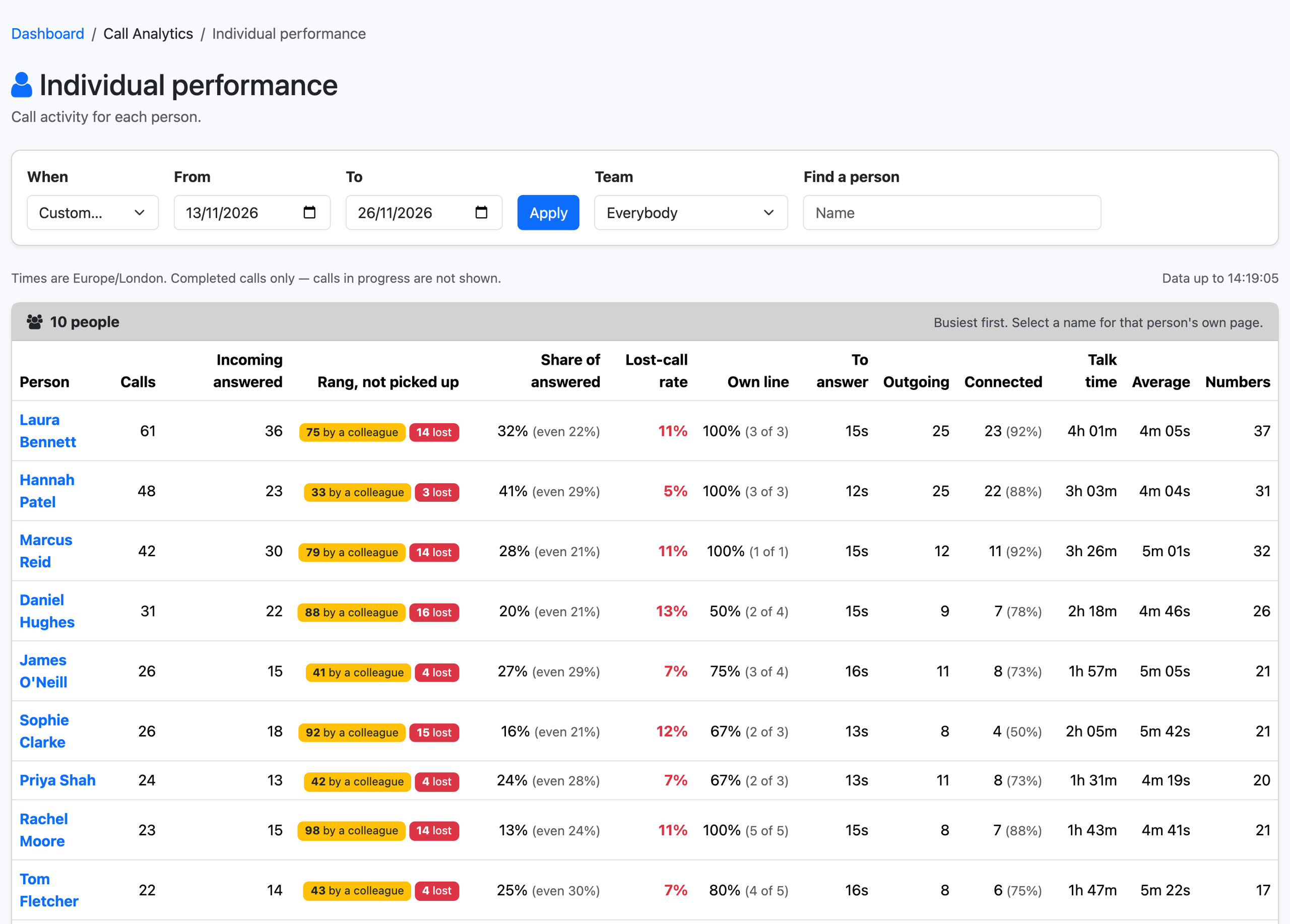
  • Share of the answered calls for each person, beside an even share, so you can see who carries the queue.
  • Speed to answer and talk time, per person and per queue.
  • Working hours: rings outside them don't count against anybody.
Call dashboard: total calls, answer rate, missed incoming calls, connection rate, talk time and average wait, with calls by day and a table by person

Every person, team and queue on one page

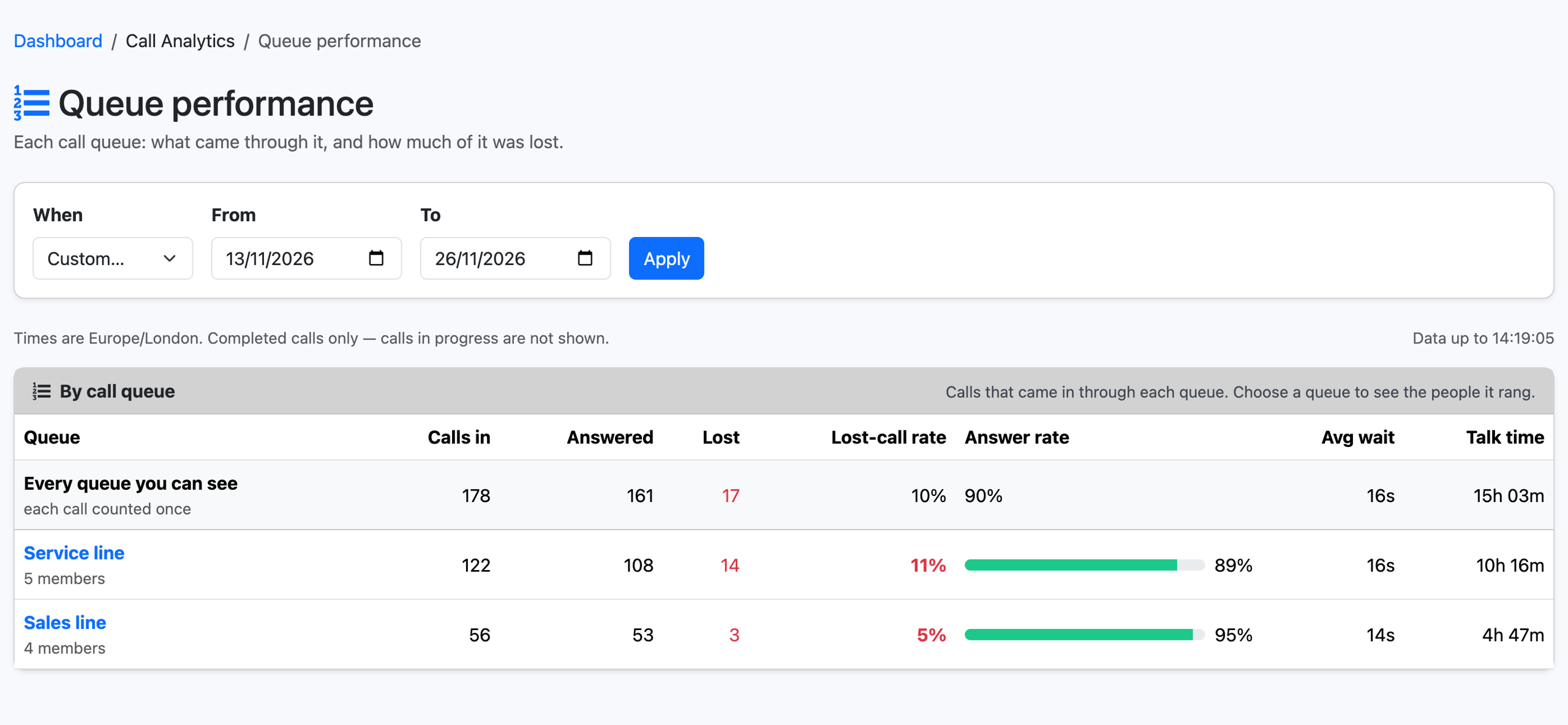
Compare departments and their teams side by side, see each call queue's lost calls and answer rate, and open any person's own page from the list.
  • Your people and call queues come straight from Webex, and stay up to date.
  • Arrange them into departments and teams; each manager sees their own.
  • Every figure links through to the calls behind it.
Individual performance: each person's calls, incoming answered, rings not picked up split into answered by a colleague and lost, share of answered calls, lost-call rate and talk time
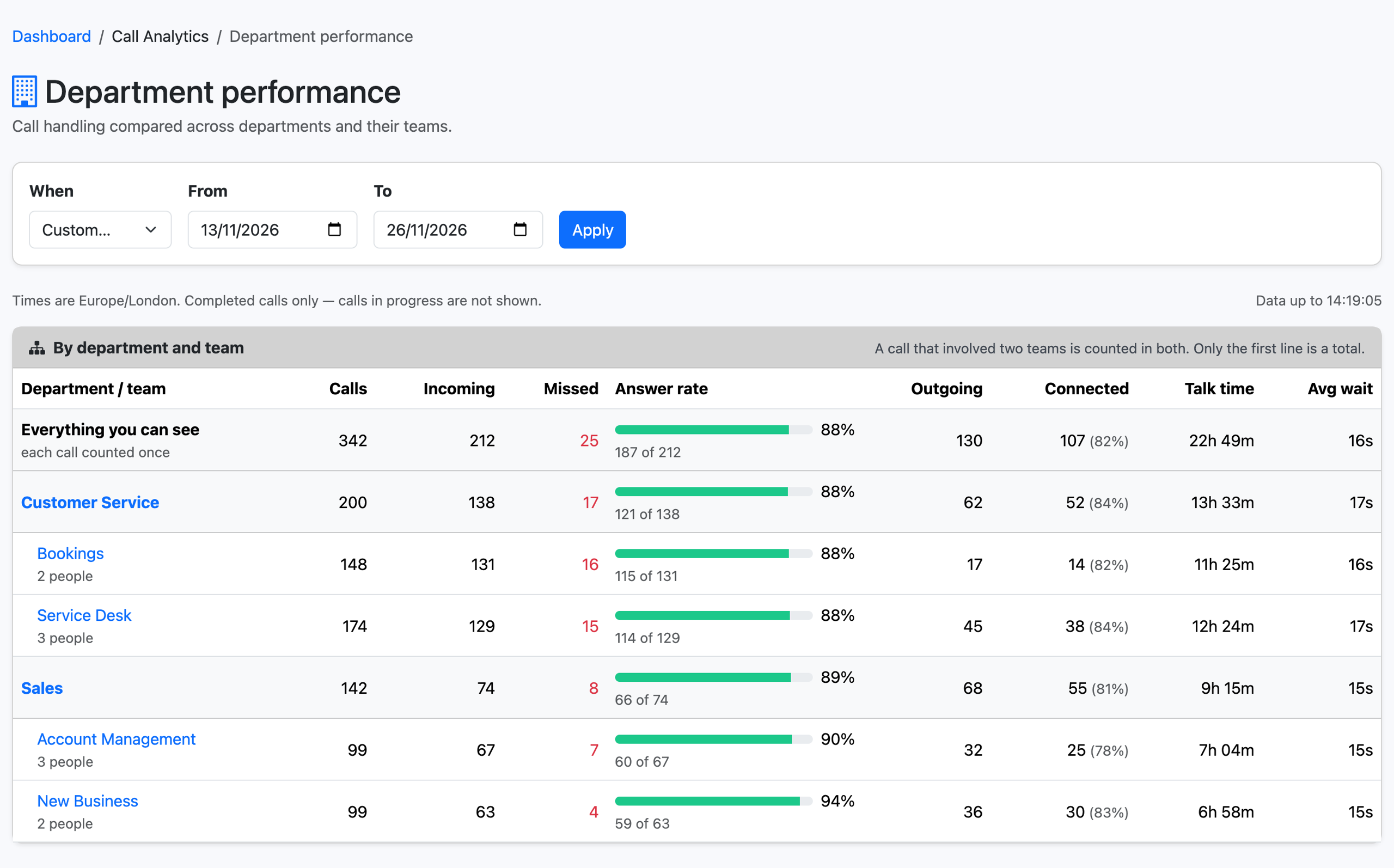
Department performance: Customer Service and Sales with their teams, showing calls, missed calls, answer rate, outgoing and talk time
Departments and their teams, side by side
    Queue performance: the Service line and Sales line queues with calls in, answered, lost, lost-call rate, answer rate and average wait
    Each call queue: calls in, lost and answer rate

    No missed customer forgotten

    Every customer who rang and didn't get through is listed until somebody rings them back. The list keeps itself: ring the number back from Webex and it comes off.
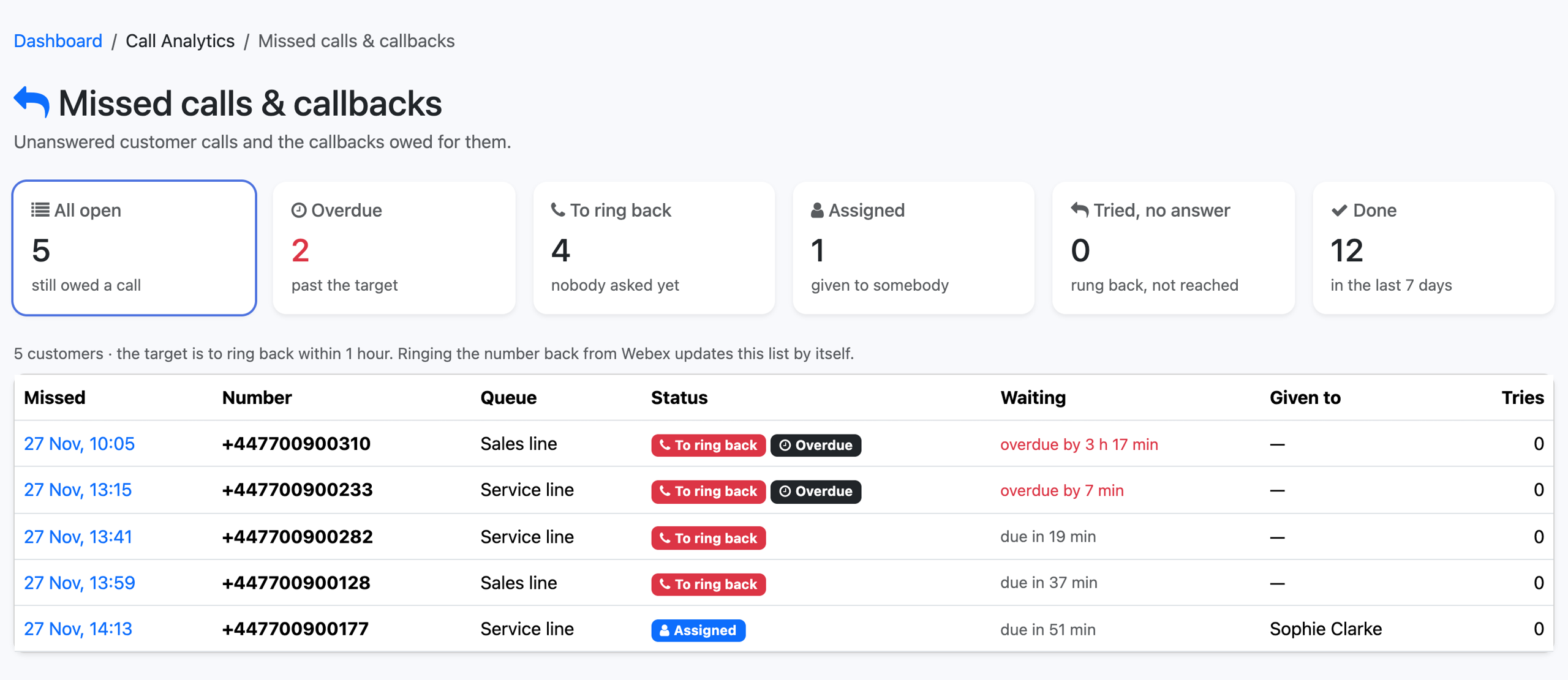
    • A callback target you set — say, within the hour — and an overdue flag when it passes.
    • Hand a callback to a named person.
    • A customer who rings again and gets through clears their own callback.
    • Missed calls stop being chased after a window you choose.
    Missed calls and callbacks: five customers still owed a call, two overdue, one assigned to a named person, with how long each has waited

    AI call summaries, beside the call

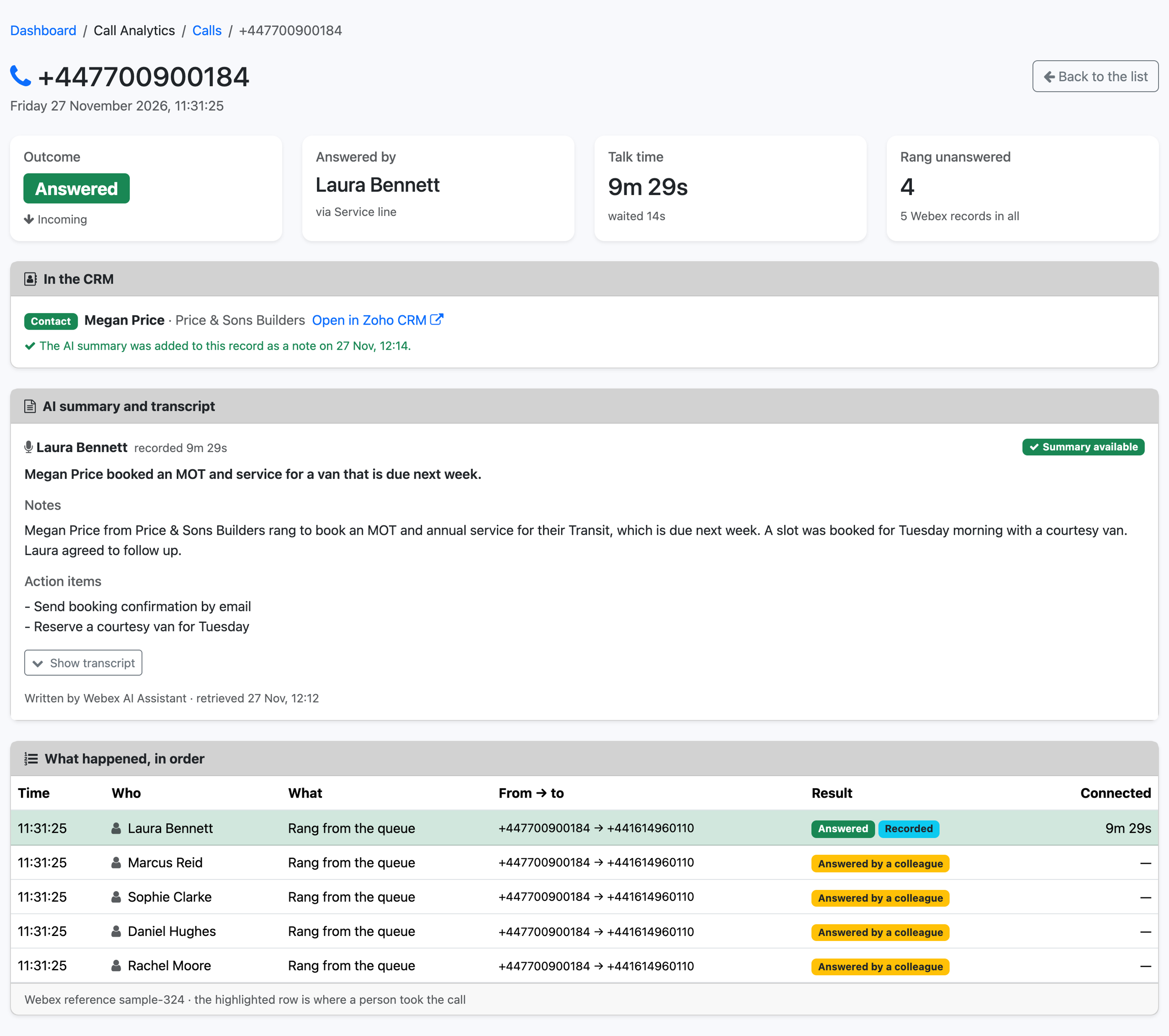
    When Webex's AI Assistant summarises a recorded call, the summary, notes and action items appear on that call's page — with who answered, who else it rang, and the transcript for those allowed to read it.
    • Read the summary without opening Webex or finding the recording.
    • See exactly what happened: who it rang, who answered, how long they waited.
    • Only roles you allow can read summaries and transcripts, and every reading is recorded.
    A call's page: answered by Laura Bennett via the Service line, matched to a lead in the CRM with a note added, and the Webex AI summary with notes and action items

    Your names, spelt your way

    AI often mishears company, product and customer names. Add the words it gets wrong and how they should be spelt, and every summary reads correctly — on screen and in the notes sent to your CRM. The transcript is left exactly as it was heard.
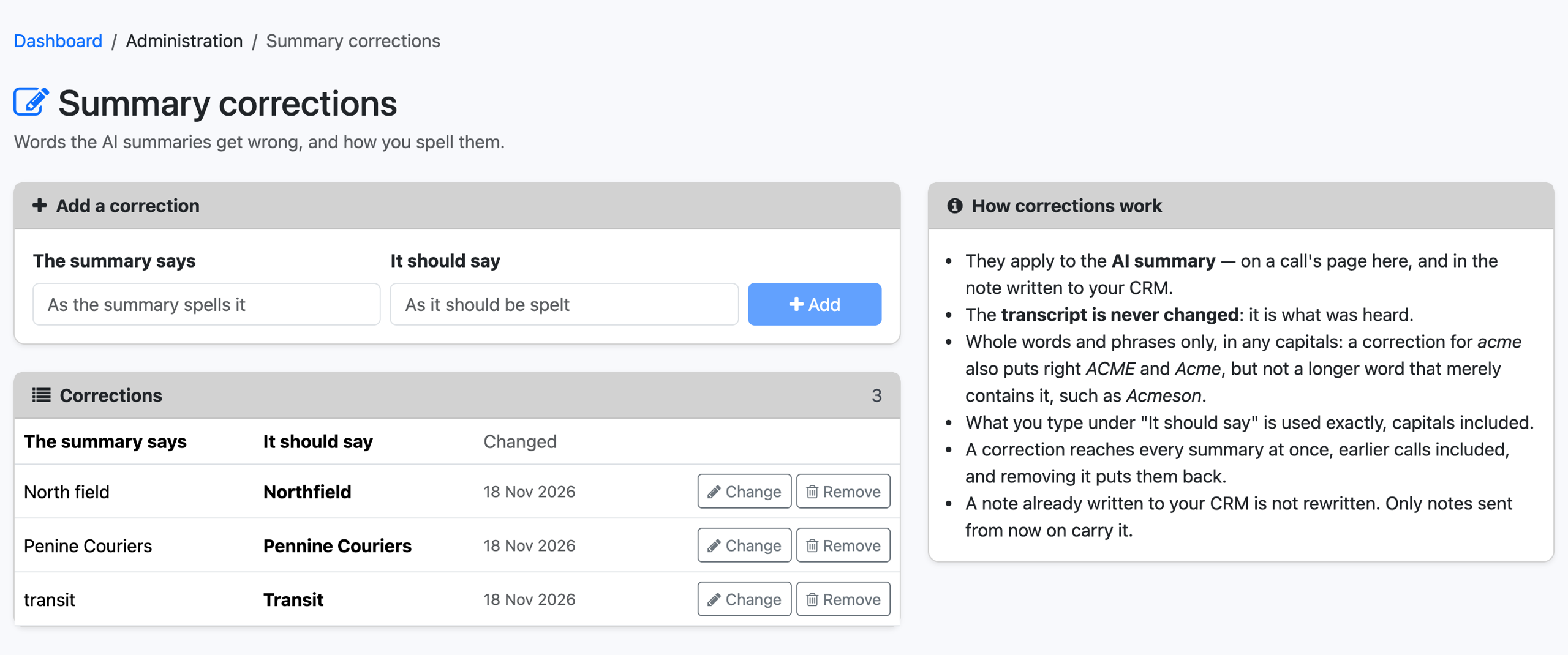
      Summary corrections: a list of words the AI summaries get wrong and what they should say

      Every call matched. Every summary in the CRM.

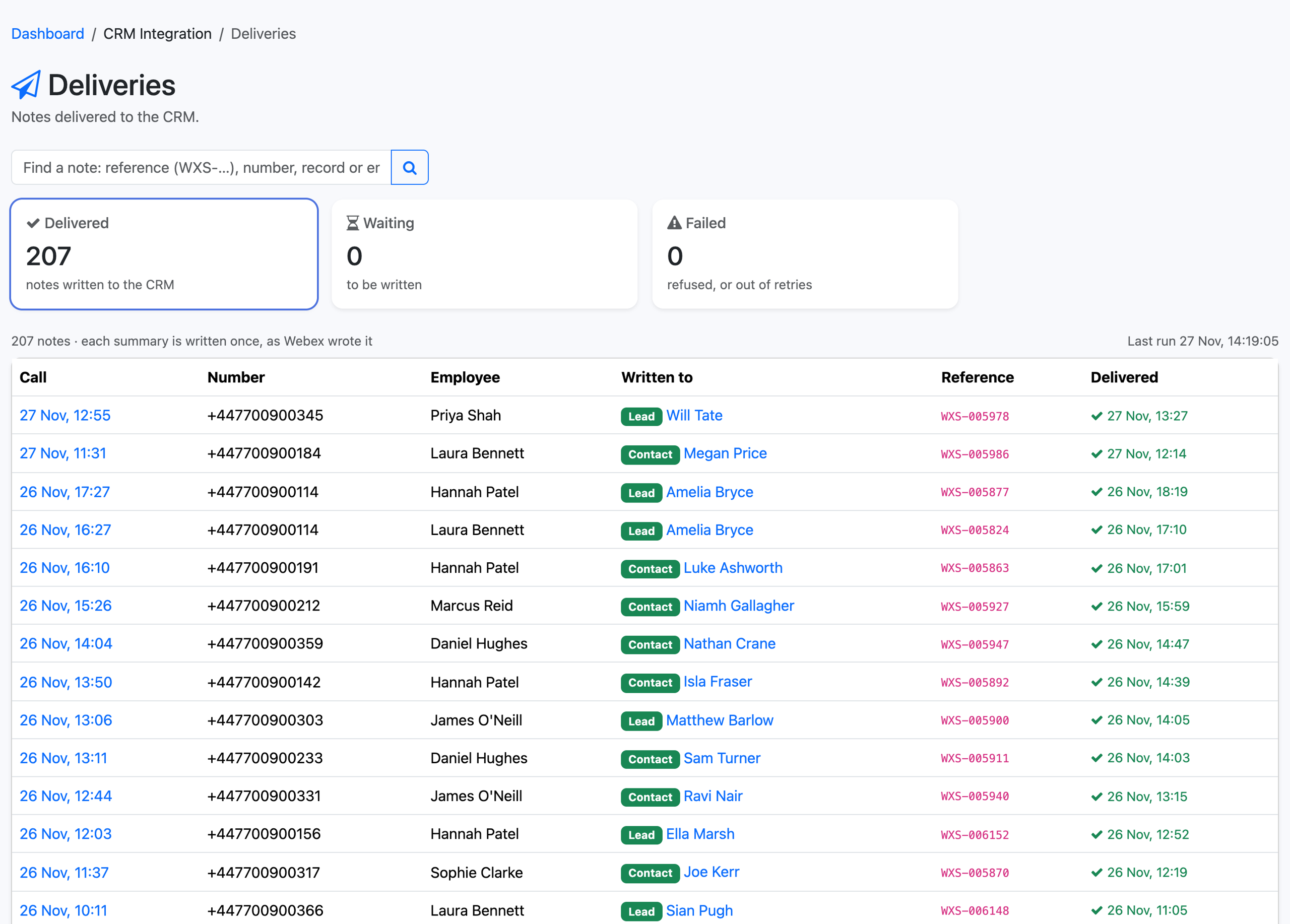
      Each caller's number is looked up among your contacts, leads and accounts, however it was typed in. When you switch it on, each call's summary is added as a note to the matching contact and lead, with a reference that ties it back to the call.
      • Where several records share a number, a person chooses — My Call Insights never guesses.
      • Try it on a few test records first, and choose the date it starts from.
      • Leave out anybody whose calls should not be written.
      • A clear record of every note written, waiting or refused.
      CRM deliveries: 208 notes written to the CRM, each with the call, the person who took it, the contact or lead it was written to and its reference

      The CRM on every call in the list

      Search and filter every call by date, direction, outcome, person or number. Each one shows who it was in the CRM, whether its note has been written, and whether there is an AI summary to read.
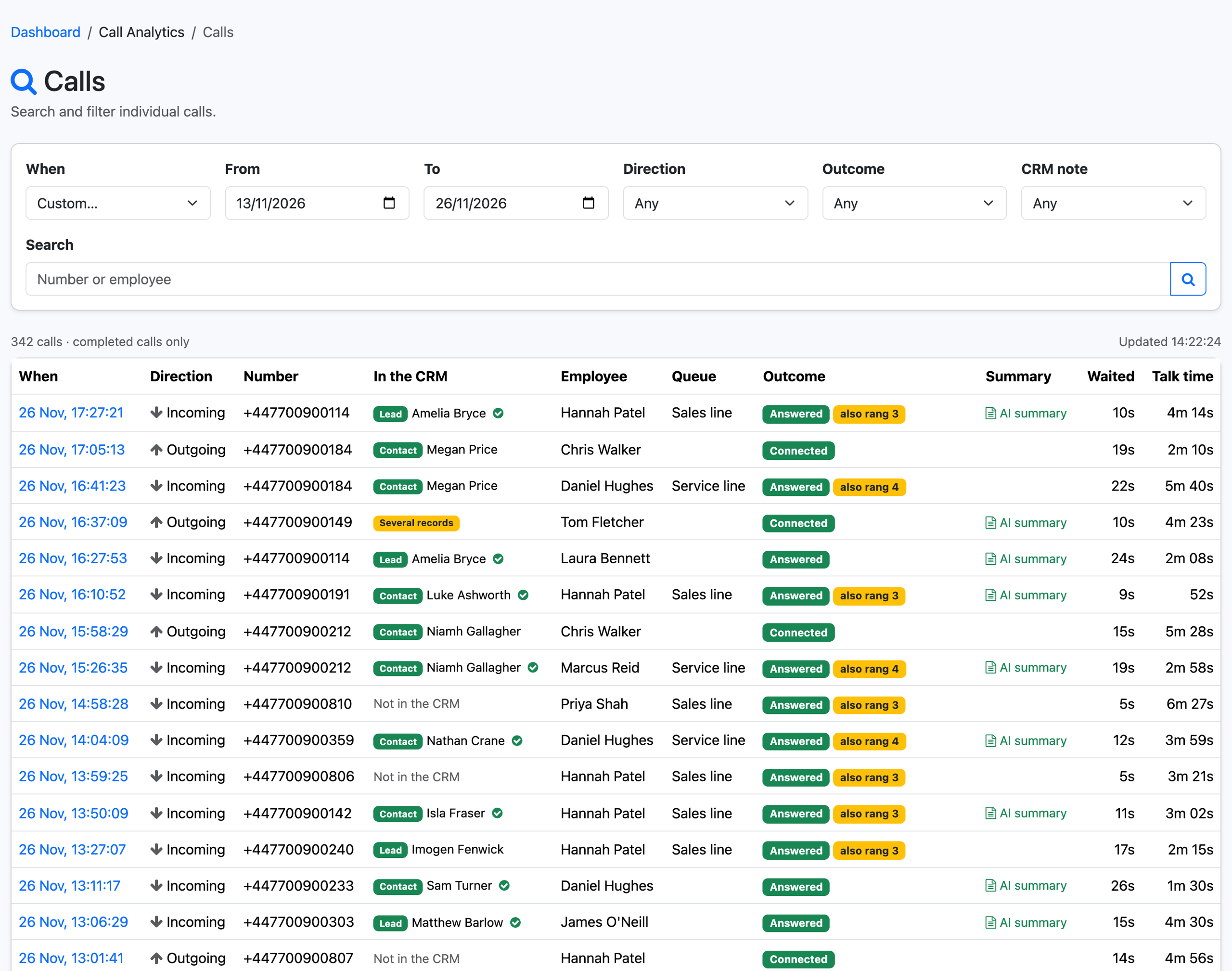
        The calls list: each call with direction, number, the contact or lead it matched in the CRM, the employee, queue, outcome and a link to its AI summary

        Want to see it with your own calls?

        A 30-minute demo, then we connect Webex and your CRM with you. Most organisations see their first reports the same day.