Security and control
Your calls are your customers' business. We treat them that way.
My Call Insights reads what it needs and nothing more, writes to your CRM only when you tell it to, and keeps a record of who saw what.
My Call Insights reads your call history, users, queues and recordings. Nothing it does can change your Webex, and your administrator can withdraw its access at any time.
Note writing starts switched off. You can try it on test records only, choose the date it starts from, and it never writes to a record it isn't sure of.
Every portal account uses an authenticator app. Sessions end as soon as an account is changed or switched off.
Roles decide who can read a call's summary and transcript. Managers see the people they manage; employees see their own calls only if you allow it.
Every change to settings, people and access is logged with who made it and when — and so is every reading of a summary or transcript.
Each organisation's data is kept separate from every other's. Hosted in a UK-located data centre.
Webex and your CRM are connected by your own administrators approving access on their sites. My Call Insights never sees their passwords.
Phone numbers, names and summaries are never written to the application's logs or audit trail.
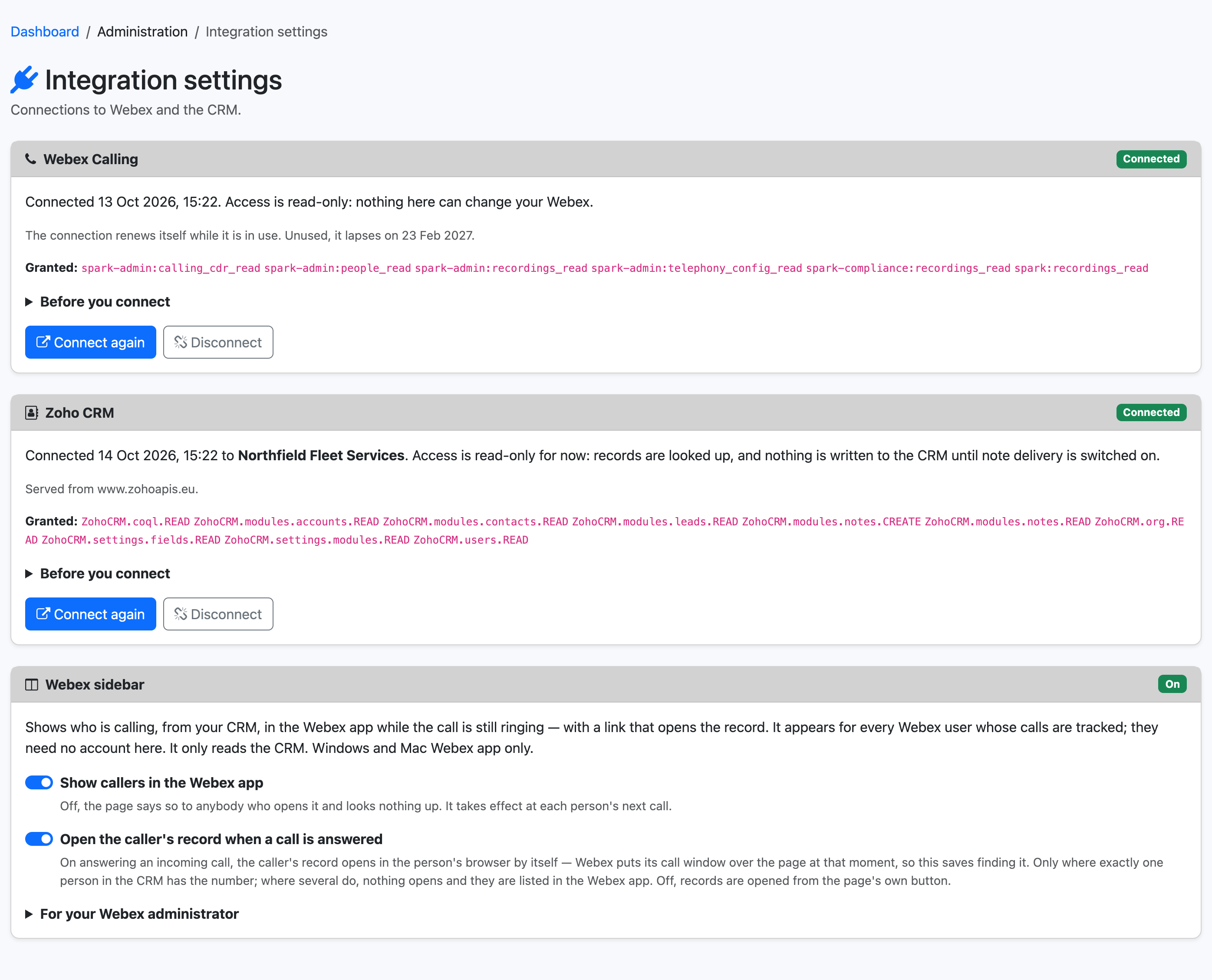
The Integration settings page shows exactly what each connection was granted, when it was made, and when it lapses if unused. Disconnect either one with a click.
We're happy to go through how My Call Insights handles your data before you start.